Follow the steps below to assign a custom internal ID to a tax office in your portfolio:
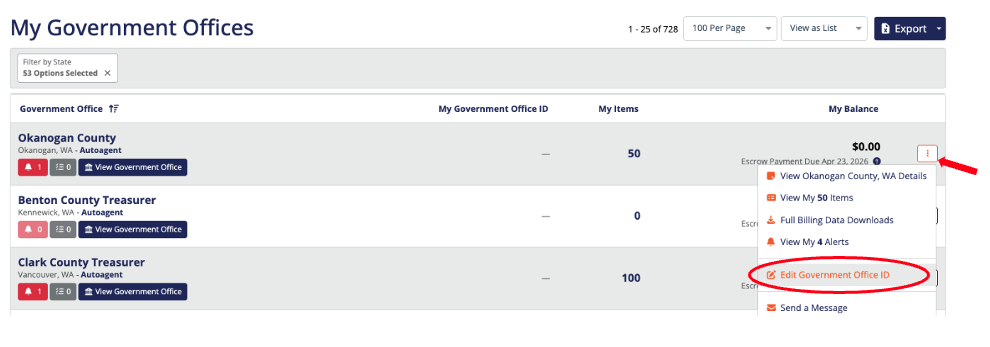
Navigate to your overview page under My Government Offices.
Find the tax office you want to update and click the three dots next to the selected tax office.
From the drop-down menu, select "Edit Government Office".
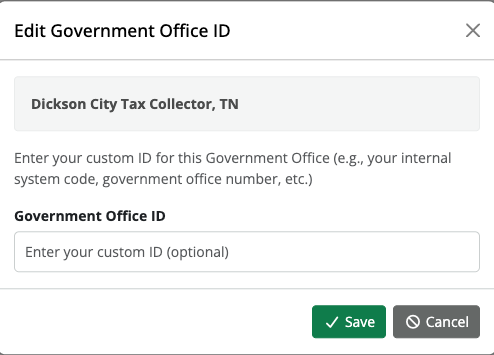
In the pop-up window, enter your custom internal ID in the designated field.
Click Save to apply your changes.
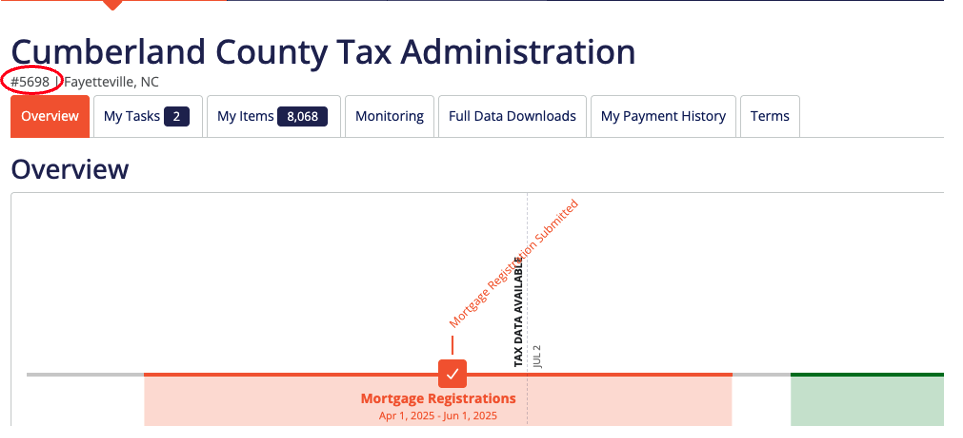
Your stored internal ID will now display when you're viewing that tax office.
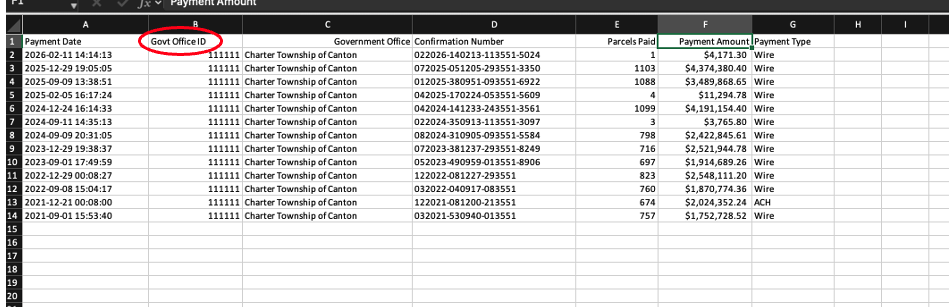
It will be included on payment history report exports under the Government Office ID column.
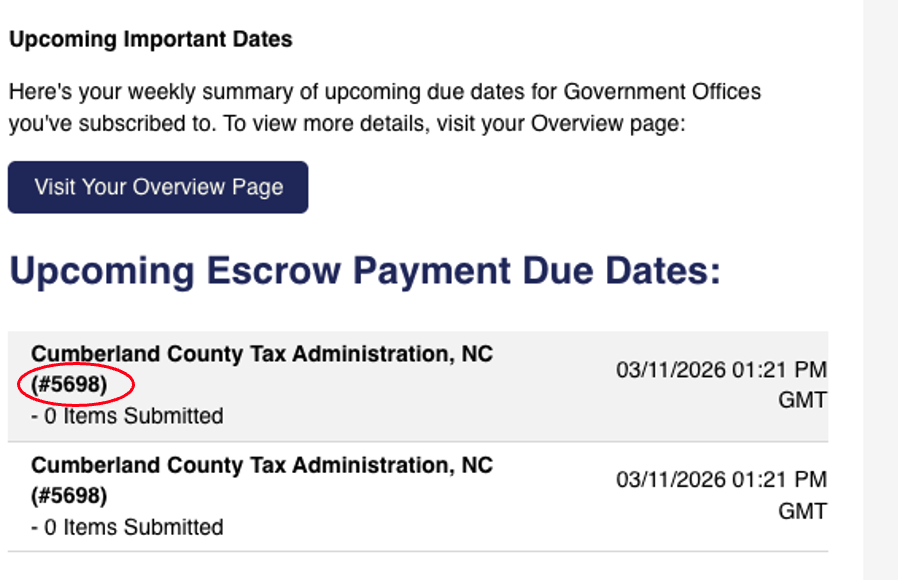
It will be listed under the tax office name in any reminders sent to you.
Was this article helpful?
That’s Great!
Thank you for your feedback
Sorry! We couldn't be helpful
Thank you for your feedback
Feedback sent
We appreciate your effort and will try to fix the article